When migrating an online shop running on the Joomla and VirtueMart stack, there are several non-obvious issues that, without knowing where to look, can cost you positions in Google search results. For a safe migration to the current version, the starting point is an audit of the site and a 301 redirect map. The shop owner does not need to know every technical detail, but to make a migration decision it is worth understanding what problems arise during a shop migration and why the Average Position in the Performance report in Google Search Console can drop sharply.
Why a Joomla and VirtueMart migration can cut sales
Without a 301 redirect from every old URL, Google records a 404 and removes the page from the index. The positions that page held disappear along with it.


The main danger is a missing 404 in VirtueMart. If VirtueMart stops returning a 404 for a non-existent product, that is a serious problem. Picture this: you type a random string after a category URL, press enter, and instead of a 404 you see the category page opening with a clearly wrong URL. Google treats this as duplicate content and stops showing those categories in search results. That is fair. Without a correctly working 404, category pages turn into low-quality pages no matter how much you improve them by adding filters or descriptions. On the VirtueMart forum a developer states that this is not a problem and can be resolved with a canonical tag. Google disagrees. Check whether 404 works on your site: add a random string after a valid category URL. If it does not return a 404, contact us and we will fix it.
What does this mean in practice? Shops built on VirtueMart can surface very unpleasant technical errors after a failed migration, and these errors are easy to miss if you do not know where to look.
Google positions for commercial queries still bring organic traffic. When a migration causes technical SEO problems, specifically the VirtueMart 404 issue, Google will find those non-existent URLs and add them to GSC reports. Even if you fix the errors on the site quickly, they will take months to clear from GSC.
Read about why shops lose positions in: 8 reasons a shop loses positions.
An outline migration plan for an online shop on Joomla and VirtueMart in the context of technical SEO
1. Build a list of URLs that receive traffic (URLs with clicks, visible in Google Search Console under the Performance report, Pages tab).
2. A list of URLs that generate orders (these are the top-priority URLs, specifically the URLs themselves, not the product categories). Keep watching them throughout.
3. A list of positions for product categories or product pages by key queries (this will help you tell a temporary position drop from a real problem after migration).
If making lists feels like too much work, take screenshots in GSC:
- GSC, Performance report, filter for the last 16 months, Pages tab.
- GSC, Performance report, Full tab, compare 3 months with the previous period, filter Date Range (comparison), Pages tab, Average Position column enabled, Rows per page 500, right-hand Position column sorted from smallest to largest, screenshot all rows with a negative value in the Position Difference column.
- GSC, Performance report, filter for the last 16 months, Queries tab.
- GSC, Links report, External links to pages table (not to sites).
Canonical tags
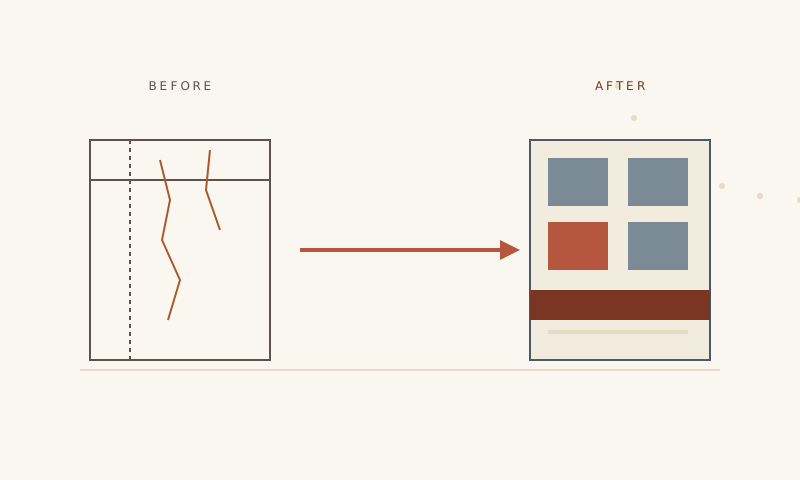
A canonical tag is a hint to Google. It says: "this address is the main version of the page, the rest are copies, do not rank them separately".
In VirtueMart: one product can belong to several categories at the same time. Each category has its own URL for the same product. Google sees three different addresses with identical content and treats them as duplicates.
You need to verify that for every product Google sees exactly one canonical URL regardless of which category the user came through. For an overview of modernisation risks read the main article on losing positions.
Check the "Canonical URL" report in Google Search Console periodically.
Redirect map

Some old URLs have external links pointing to them. Those links are part of the shop's SEO authority. If a URL disappears without a redirect, the link stops passing that authority. Recovering it is difficult because you would have to negotiate with each linking site individually. A redirect map closes both of these issues.
Old sites accumulate large numbers of URL redirects. Many of them you created yourself when you deleted a product page, for example, but Joomla itself also generates a lot of redirects to 404 pages. In Joomla version 5 it is better to turn off that automatic generation, because a large number of redirects slows the site down. Read more about the risks of migration for a shop in the article on causes of position loss.
For those who are not familiar: a 301 redirect is an automatic forward. Robots or visitors land on an old address that no longer exists (a deleted product page, for example) and the server responds: "this page has moved, here is the new address". Google transfers the ranking to the new page (to the new product).
Without redirects, the old address returns a 404. Google records the 404 and removes the page from the index. The positions that page held disappear along with it.
Before the migration you need to build a table mapping all old URLs that receive traffic to the planned new URLs after the redirect. Verify that each old address leads directly to the new one without intermediate redirects.
Language versions of the site
If the online shop has language versions, Google needs to know about the relationship between them. For this, the hreflang attribute is used: a technical signal that says "this page also exists in another language, here is its address".
Without this signal, Google may show the "wrong" language version. It may also decide that the two versions are duplicate content and choose one.
Joomla has a known shortcoming: the language version attribute can overwrite the canonical tag. In Joomla 5 this problem exists at the core level and requires a manual fix. A detailed overview of risks and technical problems during modernisation is in a separate article.
You cannot copy settings from the current site and paste them into the new one. If a bug exists in the current configuration, it will migrate along with the settings. It is better to reconfigure from scratch.
Markup

The markup that generates rich snippets works directly from HTML. If a new template is planned after the migration, that markup will be gone.
VirtueMart has built-in markup for products (Product schema), which puts star ratings and prices into search results. When the template changes, this markup can disappear or stop validating.
The current trend is to move all markup to JSON LD format. This is a separate block of code that does not depend on the template and is embedded in the page automatically regardless of what the design looks like. The influence of microdata on organic traffic is covered in detail in the markup article.
The first 60 days after the migration

Google does not re-index the entire site immediately after a migration. The crawler visits pages gradually, on its own schedule.
Four control points
| Control point | What to check | What a problem means |
|---|---|---|
| Day 3 | Main product pages load correctly, check for 404 errors on priority category URLs and product pages | 404 on top products is a critical error that needs to be fixed as quickly as possible |
| Day 7 | Google crawls the site and old addresses are not generating mass errors in Google Search Console | Hundreds of 404 errors in the Pages report means redirects are set up incorrectly or incompletely |
| Day 30 | Check the rel="canonical" tag in GSC, Pages section, "Not indexed" filter | If new URLs keep appearing under the tab "Google chose a different canonical page", the rel="canonical" tag needs to be sorted out |
| Day 60 | Compare positions in the Performance report against the list or screenshot made before the shop migration (you can also compare GSC, Performance report, number of impressions over 60 days against the previous period) | If positions are much lower than they were before the migration, you need to find the cause |
If you have already completed a migration and are seeing problems, contact us and request an audit.
Questions and answers
How long does a Joomla 5 shop migration roughly take?
A pre-migration audit, a redirect map, canonical tag configuration, language version checks: each of these items takes time.
Чи можна мігрувати без втрати позицій?
Так. Просадка в перші два тижні нормальна. Якщо через 60 днів позиції нижчі ніж були до міграції, значить є проблема з технічним SEO.
Is it possible to migrate without losing positions?
Yes. A drop in the first two weeks is normal. If after 60 days positions are lower than they were before the migration, there is a technical SEO problem.
How much traffic can you lose in a failed migration?
It depends on the current version. Joomla 3 has been without extended support since 2023, which means security vulnerabilities accumulate. Joomla 4 receives update support until October 2026. Joomla 6 is not yet a viable option for VirtueMart. That leaves Joomla 5. The longer you delay migration from Joomla 3 or 4, the greater the chance of problems.
Can you change product page URLs during the migration?
It is better not to. Keep the old URLs. If a URL change is unavoidable, handle it through the redirect map after the migration.
What should you do with product categories: carry the structure over one to one or is it possible to change it?
If you need to change the shop structure (for example, split or delete product categories), it is better to do that separately and not mix it with the migration. If something goes wrong, it will be hard to tell whether the problem came from the migration or from the structural change.
How much does a quality migration cost?
Even though online shops run on the same Joomla and VirtueMart stack, they are all different in practice. Discuss a migration plan and get a price calculated for your specific shop through the form and we will work through it together.
Planning a migration of the Joomla and VirtueMart stack to Joomla 5? Tell us about your project and we will put together a plan that keeps your SEO safe.